What is GitRoot without its plugins?
In the release 0.5.0 blog post I have only talked about the GitRoot core code. But GitRoot is a forge where plugins take a lot of space. In the future I want to decouple GitRoot and its plugins. I hope to stabilize the plugin-sdk, release them, so that you will be able to create your own plugins.
But today, GitRoot and officials plugins are linked by the version. So let me explain what they can do in this new version.
All plugins are compatible with the 0.5.0
All plugins are compatible with the 0.5.0 plugin-sdk. What does that mean? Every time you see a BREAKING and plugin in the changelog, it means I had to change the code of the plugin-sdk and recompile plugins with that new code (sometimes I need to change the code of the plugin, sometimes not). So when you see compatible with gitroot plugin-sdk 0.5.0 in the changelog of a plugin, it means that the plugin is good to run inside this GitRoot version.
I’ll present here only the most important features, for details you can read the changelog of each plugin.
Firefly in zig
First, let me introduce Firefly: add URLs to call and Firefly will generate beautiful status pages for them. Yes, it’s a status page directly integrated into your forge, so no need to depend on a third-party service. Of course, it’s useful only if the app observed is not on the same host as your forge. So it’s totally useless for GitRoot. But as an example, you can see the status page of gitroot on gitroot.
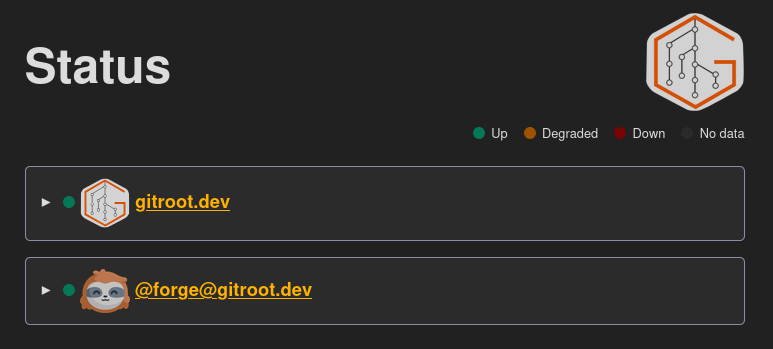
I’m proud because it’s my first code in the zig language. Not everything is perfect, of course, but I love the language itself, so I will make other plugins and rework them when needed. If you are Zig lovers too, don’t hesitate to help me.
Silo, lots of new things
Silo: from files and metadata, Silo generates indexes to find files more easily. I have added a lot of features into this milestone.
You can now sort the rendered list by the files which each item links to. I use it to render all the TODOs in GitRoot, in the todo board.
Now Silo can render the list directly to the web. Useful to not encumber the git repositories with redundant lists. For example, I use it to render plugins in alphabetical order or by scope.
Furthermore, as you can see in the plugins page, Silo can now render lists by alphabetical group. To render them, I have added a new property groupBy which allows you to tell Silo which property you want to group your list items by.
The groupBy, title, desciption and to properties can contain $variable. These variables will be interpreted when Silo renders the list. So, for example, if you want to render the title of a list with a special metadata of the content, you can:
1- selects:
2    - "purl: pkg:gitroot/[^/]+/([^@]+)"
3    - "purl: pkg:gitroot/([^/]+)"
4  title: Plugins for scope $select[1]
This means that you select the scope and name of the PURL plugin and render the name into the title. A way to add metadata into the rendered list is to use the new metadata property.
The silo plugin use the standard regexp from go to extract selects.
With all of that, dynamic boards can be created. From files to index files with metadata, you can create indexes of indexes. An example is the scope page. Silo takes all plugins from the plugins/name directory, generates a page which is an index of all scopes, and then generates a page for each. Today only the gitroot scope exists, but I hope for a lot more in the future.
Not related, but a good addition to the Silo plugin is the custom data format. It permits to render each element in the format you want (by default, only list and table were possible). I use it to render the blog posts index.
To find examples on how to configure all of that, look at the silo configuration of gitroot.dev instance.
Apex is the web view
A lot of tiny, but useful things have been added to the apex plugin. Apex is the plugin that renders the files from your git repository to the web. You configure the header, footer, menu, and it takes care of assembling all of that with your <main> content. Today it only renders HTML and markdown (through the apex_markdown plugin).
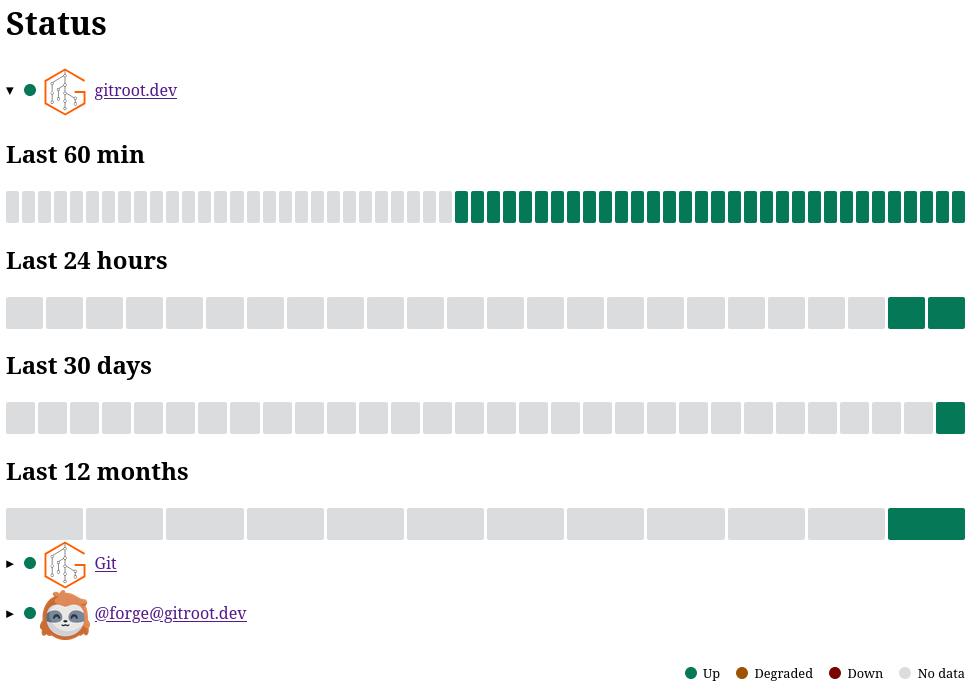
So, the first addition is to export a renderHtml function. With that in place, all other plugins can render something with your header, menu, footer and the right CSS. Without it, most plugins rendered only the content of the page withtout <head>. For example, see what Firefly looks like without Apex:
A new layout has been added: slide. Previously, the property layout could be filled with a path and Apex used it (if it didn’t exist, Apex created it with the default one inside). But if instead of a path you set issue, Apex will render all matching paths with a particular layout: see any issue, Apex has added metadata before the page, and grouped all content inside an <article> instead of a <br> like you can see in the original markdown page.
Following this strategy, the new slide layout renders the page with the slide.css and groups all page breaks into <section> as required by the CSS.
If Apex renders markdown through the apex_markdown plugin, how is that possible? All the magic resides in a new property added in the apex_markdown plugin. This property is horizontalRuleMetadatas, with that, Apex can instruct the markdown renderer how to render page breaks.
Another addition to apex_markdown is the ability to render callouts for blockquotes and details/summary. To render a callout, use this in your markdown:
1> [!NOTE]
2> This a note callout.
Which renders on the web as:
This a note callout.
Today, the possibilities are (but in the future I want to make them configurable):
1var calloutColor = map[string]string{
2	"[!NOTE]":    "#006ac7",
3	"[!WARNING]": "#be4700",
4	"[!ERROR]":   "#f00",
5}
Following the same philosophy, to render details/summary:
1> [!DETAILS] This is a summary
2> This is the details
Which renders on the web as:
This is a summary
This is the details
Finally, in a last-minute change before the release, I have added the metadata toc: true to be able to render a table of contents, because the v0.5.0 article was too long.
Grafter diff
An important (in UX, not size) change in the grafter plugin is that it now renders commit diffs from the start. Grafter is the plugin responsible for managing contributions, it permits discussing what has been done and finally merging (or not) the contribution.
Previously, Grafter displayed diffs only after the property status was set to review. But that was confusing. Now, from the start, it shows diffs.
And now that the Apex plugin can render summary/details, Grafter uses it to render reports from other plugins. You can see the result in the graft of this post.
Pollen render content
If you use pollen, you can delete the property link as it is calculated directly from the forge configuration. Pollen is the plugin responsible for communicating with the outside of your forge. Today it uses only RSS.
But the biggest change is the ability to render the content of files in addition to the commits. Previously, Pollen rendered only commit metadata (title, description, author…). Now it can render the content of files to have a true RSS for your issues, grafts, or even blog posts. Don’t forget to subscribe to the blog rss of this instance.
What next?
One big thing I wanted to do before the 0.5.0 release (but ran out of time) was to change how Apex renders links. Today all links are absolute with a trick in the html page (<base href="https://gitroot.dev/">), I have done that because the 404 page needs to be rendered everywhere in the repository. Unfortunately, that makes too many bugs with bad linking. So I want to revert that as priority one (maybe keep the trick only for the 404 page).
After that, I want to better render Git in the web. A lot of missing concepts need to be rendered, commit, branch are the first ones. So I will add an apex_git plugin. And if I have time, an apex_gitroot plugin to render specific GitRoot files like users.yml, plugins.yml or repositories.yml.
I have grouped multiple related issues in the apex board. That will be my priority, but of course, as I change my mind a lot, that’s not a promise of what will be done.
Special thanks to Ryuno-Ki from the #gitroot:matrix.org Matrix room for reviewing and correcting this article. Want to help with future posts? Join us in the room!